
The days of the Mac being safe from cyber attacks are long gone…it’s time to get smart!
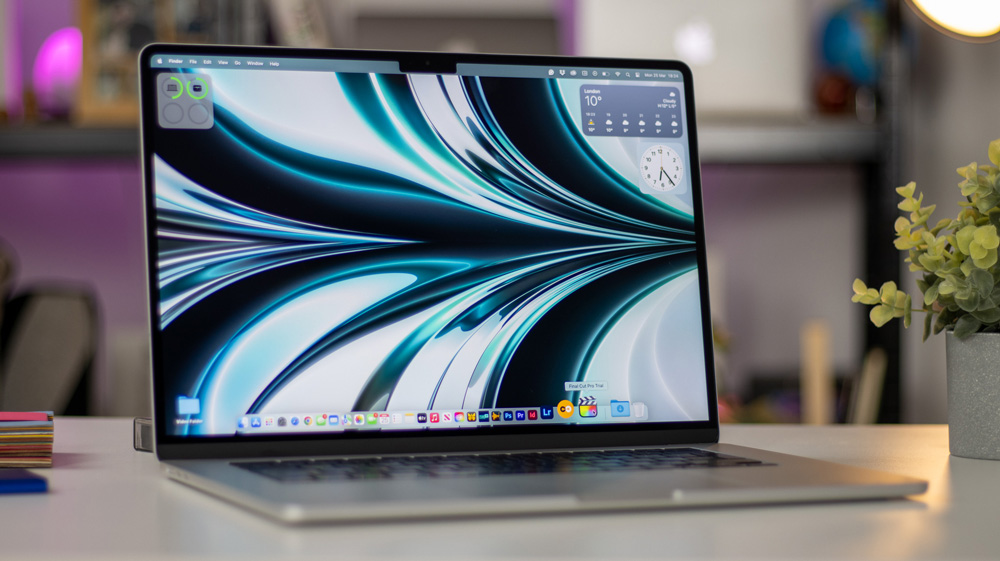
The Mac is the glue to our Apple life and, generally, to our Apple ecosystem.
For many of us, it was either a Mac or an iPhone that was our first foray into the world of Apple.
I bet, just like me, when you first started to use a Mac, one of the ‘street-truths’ you learned was that, unlike PC’s and Windows machines, Macs were rock solid and were never the target of any cyber attacks. There was certainly no need to run any form of anti-virus software or look to protect your Mac in any way…right?
Well, with the Mac turning 50 this year, the Mac has never been more popular and has become more commonplace. That, of course, means the threat of your Mac being targeted by some kind of malware attack is now way more likely than ever.
And with the recent release of the MacBook Neo, which is flying from the shelves, and is set to become a huge success, you can bet that there will be plenty of new attacks coming our way.
In the next few weeks, I plan to buy a MacBook Neo. I want to see what all the fuss is about, but in that rush of buying, unboxing, and setting up my new Mac, one thing I’ll be sure not to overlook is to run some kind of malware protection on it.
The MacBook Neo may be more affordable, but it’s still a tidy sum of money that I’ll be spending, and I want to take care of it.
Once bitten
As you can imagine, my life is all about being online. I’m fairly visible, which means I receive emails from all kinds of different sources and often from people I’ve not heard of or dealt with before.
It’s the nature of what I do for a living.
I try to be as cautious as possible, but one lesson a few years back taught me a lesson. I was wet behind the ears in this game and was keen to accept any sponsorship opportunities that came my way.
I received what I thought was an opportunity from a water company to make content with them. To this day, I can even recall the email was signed off from a ‘Hartley’ – it left such a scar on me.
I read the email and eagerly clicked the links – and that was all it took! That one moment of madness meant I’d opened the doors to some kind of threat. It was only later that day, the penny dropped as I realised there was no way a brand that large would either be interested in me or would be dealing directly with me rather than via their agency.
But by that time, it was too late.
And as if by miracle, as I was writing this story, I’ve just had another very similar email land. This is the kind of thing I have to deal with…

The only thing that saved me, and quite possibly the entire channel, was that I was running CleanMyMac. The moment I realised what I’d done, I ran CleanMyMac, which did its job, finding and quarantining the threat.
Yes, I was dumb, but luckily I’d at least been smart enough to run some kind of protection on my MacBook Pro. Macs are tough, but not infallible.
These days, I always check the email domain first and will never click links until there has been quite a bit of discussion and I get a feel of who I’m dealing with. I’ll always manually enter website addresses rather than click links, and I often even use an old iPad that has nothing to do with my main Apple ID.
I also never stay logged in to any sites, or tick the option to stay logged in for two weeks, and I have 2FA on everything.
It’s a pain, but it’s a price worth paying.
Recently, I’ve also started to use a VPN far more frequently, both at home and when travelling. I have it installed on my Mac, iPhone and iPad, and I’ll also never use public networks, even though I’m running a VPN.
As careful as I try to be, though, I’m no Cyber genius. I am just an average user, but at least I do my best to make things as safe as possible.
Changing times for Mac
Mac users are catching on that they need to be smarter and up their game when it comes to being safe online.
Going back just a few years, nearly a third of Mac users believed that there was no Malware threat to macOS. Last year, that had been slashed to only 15% who thought there was no tangible threat.
The same report found that nearly half of Mac users surprisingly believe macOS alone is security enough to protect them, even though your data, our data, is something that the dark side of the web yearns to steal from us.
And with the rapid proliferation of AI and LLMs, we’re going to be put at even more risk, as many Mac users stated they now feel they’ve lost control over the data they share with various AI models. Not only that, but AI itself could actually be used to shape harder-to-detect malware threats.
It’s a double-edged sword, though, because although the criminals will use AI to boost the performance of their social engineering attacks, security teams are equally using AI to help them with the speed at which they can create tools to block the new threats.
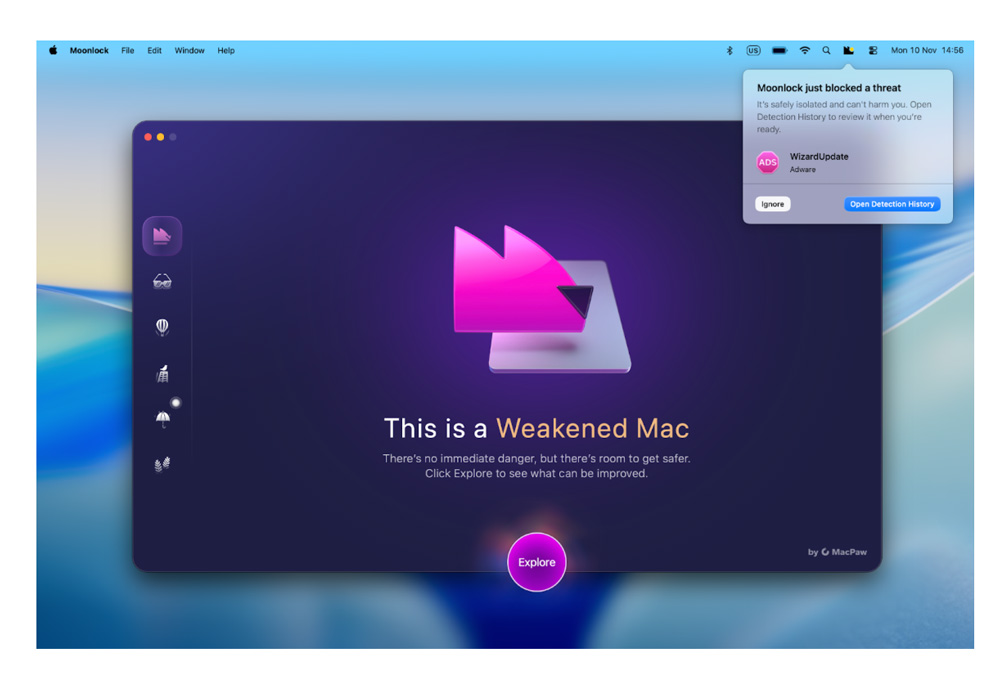
The threats are real, though with suggestions that an OpenAI API has been used to create highly personalised phishing malware content deep within macOS and that ChatGPT has been used to create a macOS stealer packaged within PyInstaller.
Don’t get me wrong, Macs are still pretty robust because of native features such as Keychain, FireVault and the excellent XProtect, but those organic tools, as good as they are, are not enough in the current climate.
We also have a very strong Password app on Macs, too; it’s the only one I’ve ever used, yet many users are still lazy when it comes to the most basic of online protection by repeatedly using the same, weak passwords. It’s almost like leaving the keys in your front door!
Don’t neglect the obvious
So whilst using 2FA, VPNs and strong passwords are a good start, the need to be vigilant remains as real as ever.
Whenever you’re online, you need to be thinking and always try to remain one step ahead. The most common ways to get attacked are still the obvious ones. Identity theft, online payments, browser history and account hacking are the most common ways that malware will get into your Mac.
Hell, even yesterday, when I’d called my cell service provider to sort out a new contract, I got suspicious when they started asking for bank details…and as I say, I’d called them!
Making the Mac stronger
When I was at CES this year, I got talking to the team at MacPaw who are behind the CleanMyMac tool I mentioned earlier, and they’ve been busy developing a tool that looks genuinely exciting.
Their business is helping to create tools to keep us safe online, and of course, they only make apps for Macs. They understand Macs and the risks we Mac users face.
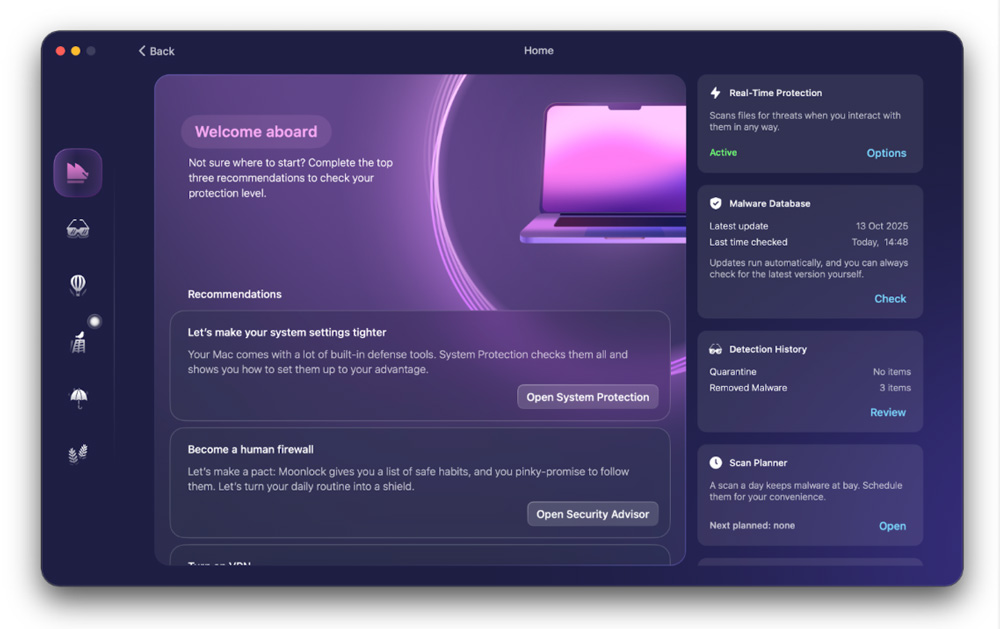
Their latest app is called Moonlock and takes a totally different approach to protecting our Macs. Moonlock is designed to help give us the tools to build better online security while at the same time helping to protect us from the growing wave of Mac-focused threats natively in the background.
At its core is the Moonlock engine, which is the antivirus software that’s been powering CleanMyMac since 2023. The reason it works so well is that the Moonlock Lab has a team of malware investigators who are permanently working to uncover new malware and large-scale malvertising campaigns.
That is how they are able to keep one step ahead.
From what I recall from the demo I was given at CES, Moonlock has a really cool and intuitive UI. The first thing Moonlock will do is quickly look at your Mac and give you an overview of the current state of your Mac. It’ll then give you some tips as to what you can do to improve your security.
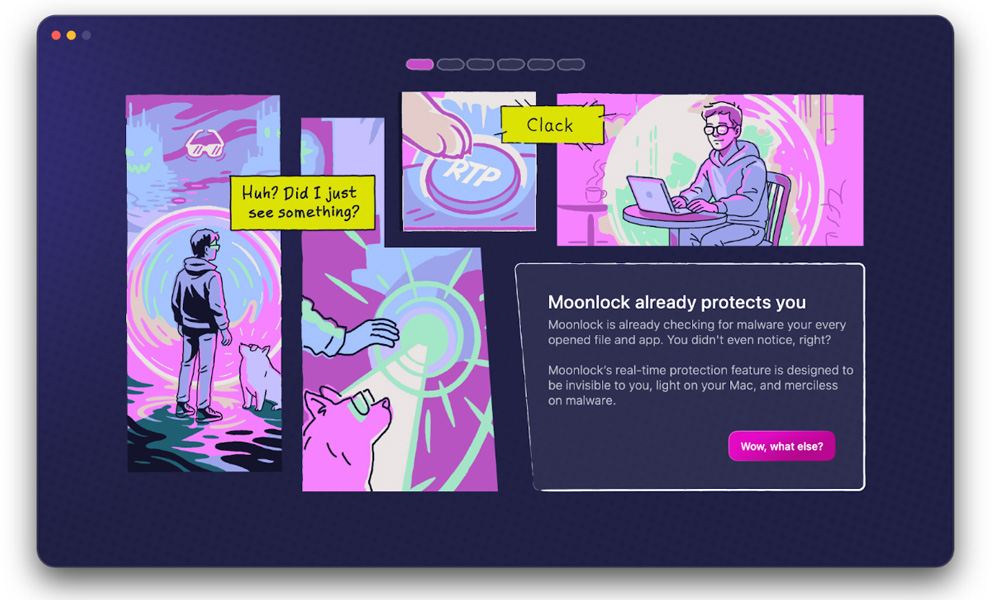
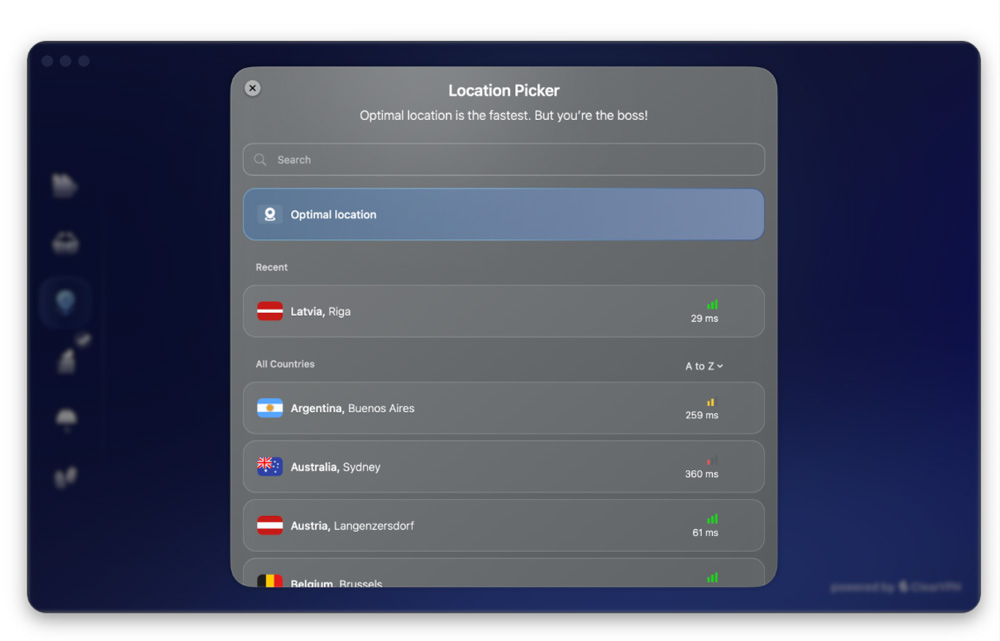
It’ll set up scans against active malware and check your macOS settings for any obvious breaches or gaps in security configs. It instantly struck me as taking Mac protection to the next level. It even sets up a VPN and will block your Mac from attempting to join known risk regions.
Using Moonlock on your Mac
Just like your Mac, Moonlock has a control centre which you can think of as your engine room. This is the heart of it all.
It’s there you can set your protection level, take a look at how Moonlock is protecting you and check any recommendations that have been made.
Another cool feature is Security Advisor. Think of this like a checklist. It will run you through a series of checks, such as reminding you to use stronger passwords and avoid clicking on links (note to self!), which in time you’ll find will become second nature.
The way they’ve gone about creating Moonlock is refreshingly organic. it puts you in control.
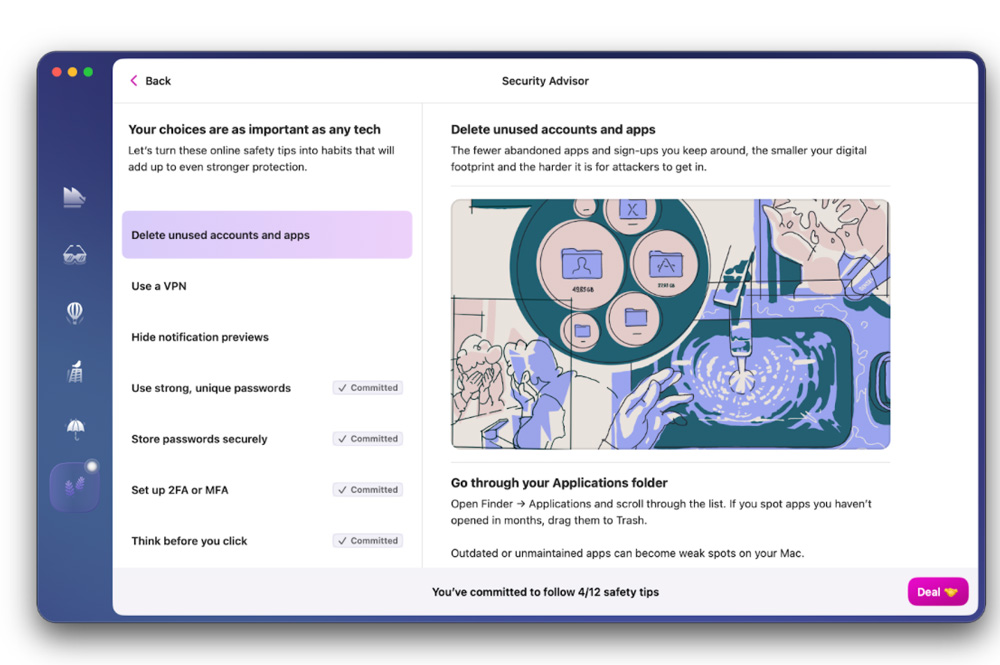
But all the while you’ve been busy checking your Mac’s status and your habits, it has been busy in the background running real-time protection. You’ll know it’s doing its job too, as Moonlock will notify you that it detected, isolated and quarantined any new threats. It offers great peace of mind.
You can be busy doing your job, while Moonlock does its!
Other user-friendly features I was shown by the team include Detection History, where you can check what threats have been found, and the Malware Scanner.
The threat of Malware
Malware has a nasty habit of hiding itself in plain sight, meaning it’s attacking your Mac, whilst you are working on it, without you knowing. The Malware scanner found in Moonlock is designed to look at long-forgotten folders and go system deep to make sure your Mac is safe.
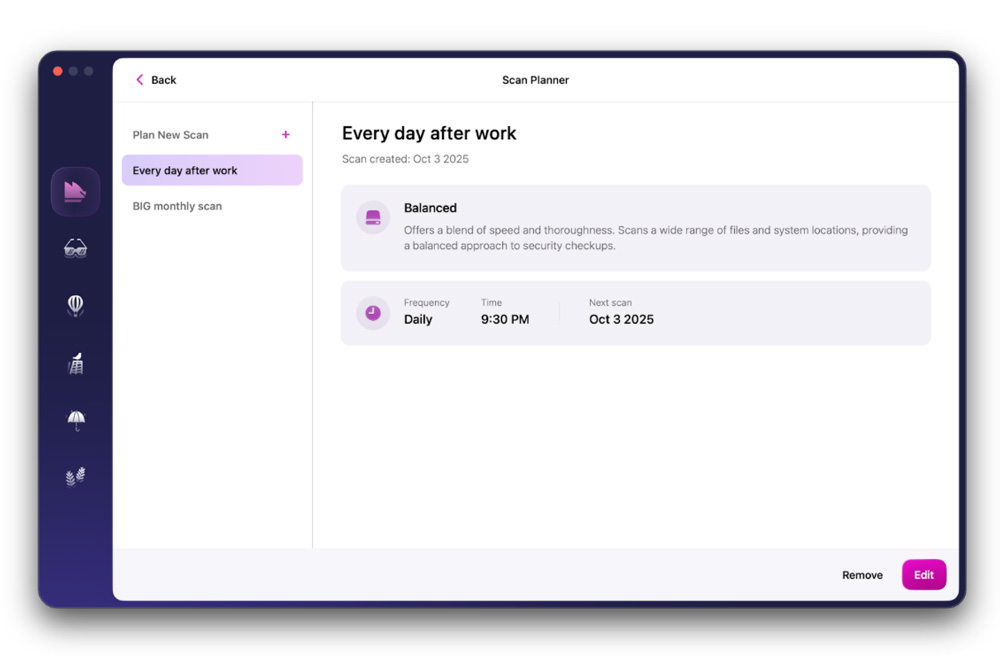
Moonlock has taken this threat so seriously that it offers you three levels of protection. The quick scan, as the name suggests, is a very quick surface-level scan that looks at the most common areas of threat.
Next is the default, balanced scan, which takes a balanced look between those obvious areas I’ve just mentioned and the less obvious system folders, too.
Finally, the deep scan does exactly what you’d expect and will look at every file & folder on your system for any potential threats.
To save time, you can even choose from a simple drop-down menu for the malware scanner to check just one item or several items that you may be especially concerned about. That drop-down menu is configurable, too.
Once again, like so many of the features in Moonlock, it puts you in control as it means you can schedule scans to run at a time that suits you and your routine.
That feature that I mentioned earlier about blocking traffic from servers from specific countries should not be underestimated. Many cyber attacks, especially malware distribution and phishing infrastructure, originate from certain well-known servers, which is where Moonlock steps in to help protect you.
The intriguing thing with Network Inspector is that as you block servers from certain regions, you can watch in real-time what apps and websites stop working. It’s very sleuth-like!

And if you’re wondering which regions to block, Moonlock has you covered. It comes packed with some ready-made filters which bundle together countries and territories by threat type.
The next level
When I saw Moonlock in action at CES, it looked to be a game-changer.
Mac-based cyber threats are evolving and becoming more and more menacing. Macs are no longer found only on designers’ and creatives’ desks – Macs are now everywhere.
But just as those threats are evolving and ever-changing, so too are the tools we have to prevent them from ruining our Macs and livelihoods.
So, as excited as I’ll be when I unbox my new MacBook Neo, you can bet one of the very first things I’ll be doing is installing and running Moonlock on it.
Once bitten, twice shy!
To discover the power of Moonlock for yourself, click here and get yourself a 10% discount too!

5 responses
These security issues are getting on my nerves especially in the AI world nowadays. I have heard quite a few cases of commonly used softwares injected malicious code. Everyone should pay more attention to security!
Yeah, we all need to be on our guard, that’s for sure
Great article! Security awareness is so important, especially as we rely more on digital tools every day. I work in AI content creation and even in that space, choosing trusted and secure platforms matters a lot. Appreciate the practical tips here — bookmarking this for future reference!
Thanks – glad you found it useful!
Addressing the fallacy of Mac invulnerability is essential given the evolving nature of cross-platform targeted cyber threats.