
Everyone is talking about this new Mac – so what’s the fuss all about?

I’ve just bought a MacBook Neo.
I managed to resist temptation for all of a week, but in the end, I wanted to try it out for myself to find out what the MacBook Neo was like to use in my world. I’d seen all these videos where 50 or more apps were open at once, and others where multiple 4K video streams were being edited simultaneously, but I take those kinds of videos with a large pinch of salt.
Just because Apple silicon means we can edit videos on a £600 13-inch laptop doesn’t mean that you’d want to.
After all, who in their right mind would buy a £600 MacBook Neo as their main video editing rig? Horses for courses and all that! Buy the Mac that best suits your needs. The MacBook Neo is great for what it’s meant to be used for – and we should applaud it for that.
Buying the MacBook Neo
Once I’d decided that I was going to get a MacBook Neo, I knew it meant that I’d probably not be using the M3 MacBook Air any more.
That’s not to say that the MacBook Air probably isn’t better in virtually every way, but I only need one travel Mac, and the Neo would be more than good enough for what I’d be using it for…and it’s lighter, smaller and more portable as well.
I’ve used Apple’s trade-in option before, and I took the same route again this time. Apple gave me around £400 for my Air, which meant I’d only have to find about £200 to buy the Neo.
I went for the upgraded model that includes extra storage and fingerprint ID. Even though I know I won’t be using this Mac daily, the extra bit of storage is good peace of mind, and the fingerprint ID is just quicker and more convenient.
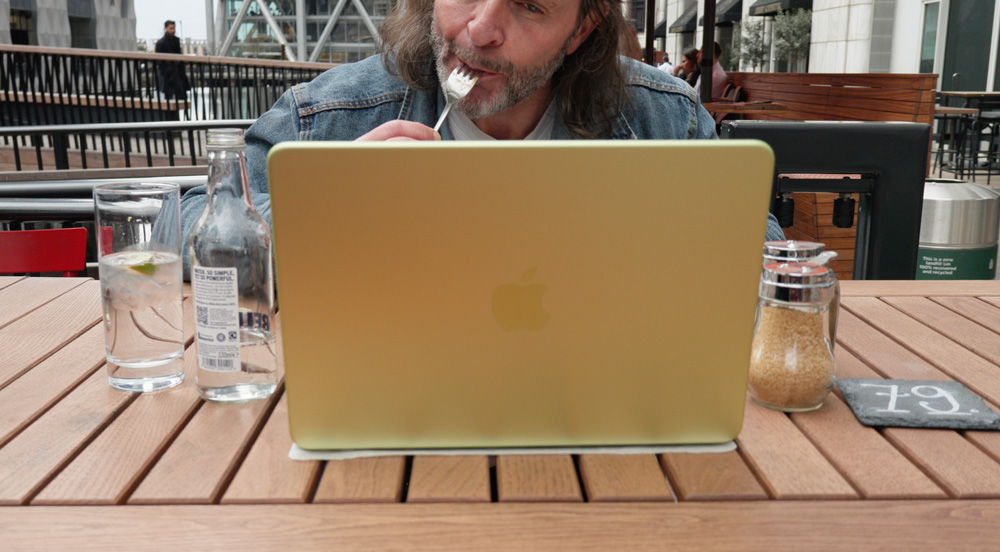
Ah, but I hear you saying, “David, you could simply use your Apple Watch to unlock it and save yourself some money”. Well, for the time being at least, I’m not wearing it.
I’ve gone back to an analogue watch as part of my digital de-clutter.
No bad Macs
Because of Apple silicon, we’re living in a golden era as Mac and Apple users.
There’s not one Mac, iPhone or iPad out there that won’t eat up nearly all of our normal daily needs. Hell, don’t forget, I’m still using the M4 Pro Mac mini as my main Mac at the studio!
Benchmark tests and the meaningless pranks I mentioned earlier are all for show and clicks. You know as well as I do that if you were to buy a MacBook Neo, you’d be using it mainly for average tasks.
The day I sat down to write this story, I’d been using the Neo all day, and other than literally topping and tailing a video in Final Cut, all I’ve done is the most average and menial of day’s work on it.
I was online for a bit, did my accounts and general admin on it, and checked on my video stats in YouTube Studio. I expect that sounds similar to the kind of work you’d be doing on it, right?
And guess what? Of course, it’s done that work in a breeze as you’d expect. Chrome is open with my average four or five tabs, as is Safari. And even when I was exporting that 4K video, I could carry on working on the Mac without noticing it. Nothing slowed down – that said, it was a very basic edit and export.
Nothing I’ve said there will surprise you. And to some degree, that’s my point.
Reviewers seem to believe they have to find something negative to say about a new Mac just to make some waves.
In reality, you can’t buy a bad Mac these days, and the MacBook Neo is no exception.
Being canny
Apple has been smart this year, though.
They’ve intentionally lowered the bar to entry. Devices like the MacBook Neo and iPhone 17e have shown us how much you can get done without spending a fortune.

Let’s say somebody picks up the 17e and starts to use the camera, and then years down the line falls in love with photography, then the iPhone will have helped that person to find a new passion.
And what about if someone takes a video or two on holiday or of their kids playing on the 17e and then starts to play around with video editing on the Neo? You see, these devices are opening the doors for the next wave of creators, and that has to be a good thing.
But, I’m not that wet behind the ears that I think this is all altruistic behaviour from the team at Apple HQ. They fully know that if they can draw blood early and entice more and more people at a younger age to start working on Apple devices, that more than likely, as their ecosystem and libraries build around them, all being equal, they’re highly unlikely to ever leave and look at Android phones or Windows PC’s ever again.
With Apple, once you’re in, you’re in for life.
Not all perfect
Although there is nothing glaringly bad about the Neo, there are a few niggles – but nothing more than that.
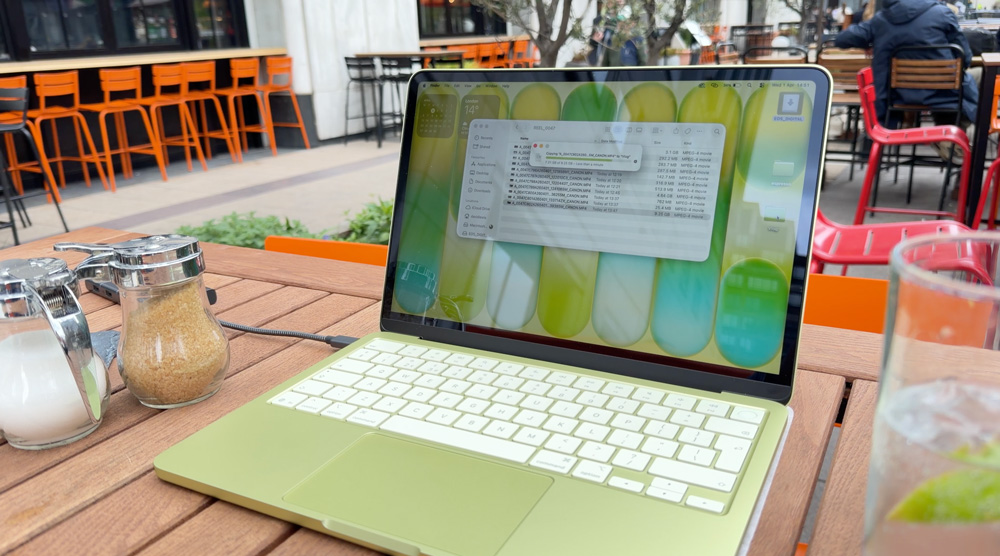
After making my video about my first impressions of the MacBook Neo, the biggest concern I had was with the battery life. In fairness, when I took it for its first full day on the road, I hadn’t charged it up to 100%.
Whatever charge it came with in the box, I used to do all the updates and basic installs and then headed out the door. It had also not been through a full charge cycle and so on, so, yes, there were some mitigating circumstances, but…
I arrived in town with roughly 60% battery, but after only about 2 or 3 hours of very intermittent, light use, it was down to under 30%. That surprised me. I’ll be giving it a fairer and extended test over the next few days, but I was expecting better from the Neo.
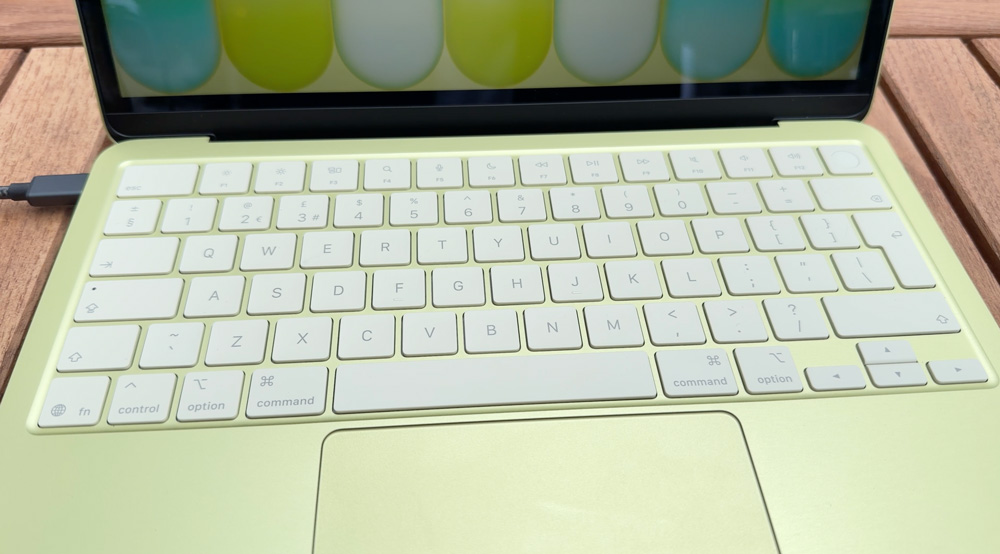
There’s no backlit keyboard on the Neo. It surprised me how much I’m missing that. I never realised how much more convenient and ergonomically friendly using a backlit keyboard was. I know in part it’s because I’m not a touch typist, so I spend longer looking at the keyboard, and I’ll get used to it over time, I’m sure, but it does feel as if I’ve stepped back in time a bit.
The white keys do help to some extent, but even so, it feels pretty dull down there!
The other couple of minor gripes I have are both linked to the size of the Mac itself. The keyboard is good enough to use, as is the trackpad, but the edges of the Mac’s body are constantly pushing into the sides of my hands. It feels a little cramped.
I know the keyboard is probably about the same size as that of the Magic Keyboard on my iPad, but the difference is that the Magic Keyboard sits flat on the desk.
The last minor point is the display. The 500 nits doesn’t feel very bright, particularly when working in daylight, as I suspect you’ll often be doing on a Mac that’s designed to be portable. It’s sharp enough, of course, but it doesn’t feel as if it’s cracking out the full 500 nits for some reason.
But I can’t have it both ways. I love it because it’s small and portable, so I can hardly then moan about the size of the keyboard.
I can see myself taking this Mac on trips with me and working on it at hotels and airports. The moment I try to multitask, though and have a few windows open, that’s when I start to find the limits of available space & screen real-estate.
Also, with smaller laptop displays, I find myself hunching over them a bit, causing bad posture, which can easily lead to aches and eye strain, which can be an issue on smaller displays as well – the perils of working on laptops in odd locations, I guess!
Luckily, though, on that front at least, help is at hand.
A second display for the Neo
Portable, secondary displays have come a long way over the past few years, and something like the MacBook Neo is crying out for one.
I’ve tried plenty over the years and have become a little bit wary of them. I’ve tried using Sidecar, and although it works pretty well, it’s not as seamless as having a dedicated second display plugged in.
The trouble is that when you decide to spring for a second display, all too often you think you’ll save money by buying something cheap – but that age-old adage that you get what you pay for is particularly true when it comes to portable displays.
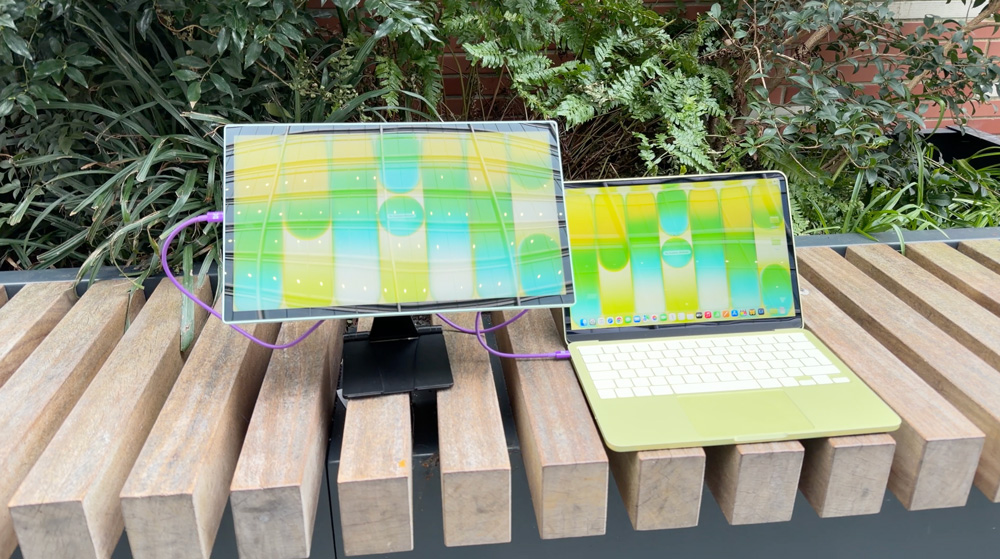
After much trial and error, I’ve settled on Espresso Displays as my second display. Before you ask, no, they’re not paying me to write this – I genuinely use them every day.
At the studio, I use their 15-inch Pro Display along with my Studio Display and M4 Pro Mac mini and at home, I use the 17-inch Pro with my M1 Max MacBook Pro.
They’re stylish, well-built and importantly, don’t stop working after a few months! They come with two USB-C power passthrough ports, which means you can charge your Mac as you’re working on it, and they are super-simple to use.
There’s no painful setup – they’re simply plug-and-play.
I’ve been using the Espresso Lite display this past week with the MacBook Neo, and so far, I have to say I’m pretty happy with it. Although you’ll clearly be using a bit of your Mac’s power to run the display, it’s not much – only about five watts or so…but don’t forget, you have those pass-through ports to help out anyway on that front.

With the MacBook Neo being so light and portable, it’s important not to ruin that by choosing a heavy, bulky display. The Lite only weighs about 500 grams, making it a perfect partner for the MacBook Neo.
Although it only has 400 nits of brightness, it looks about as bright as the Neo’s display. I spent a day in London with this combo the other day, and it all worked out pretty well. The colours looked decent when I was working in Lightroom, so as a running-gun set-up, this is about as good as I’ve used.
I think I’ve finally found the perfect away-from-home working combo!
My 2026 carry
So as we head into summer 2026, I think I’ve nailed what will be coming with me on days when I’m working away from home.
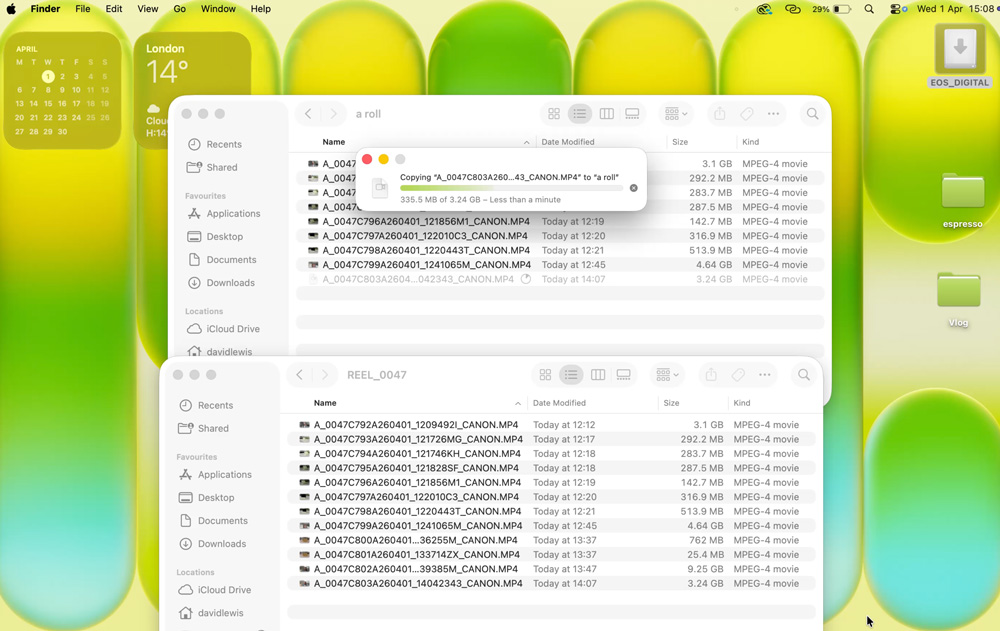
The MacBook Neo is lighter than my M4 iPad Pro plus it offers me macOS. For the kind of work I do, all I need is an SD card reader, and I can then grab files from my camera throughout the day, which has all sorts of benefits.
Firstly, it gives me the peace of mind of backing up through the day (that should never be under-estimated), but it also means I can quickly check the files are ok – that the audio is good and the colour balance about right. And assuming I have reasonable 5G coverage, I can even upload them to my NAS for complete peace of mind.
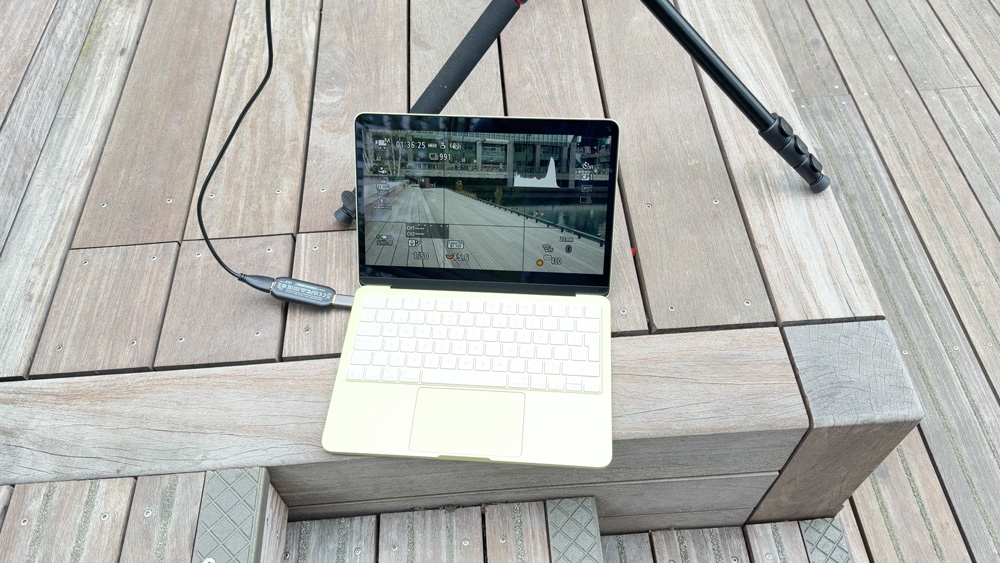
I also found out that if I use a capture card, I can even use the MacBook Neo as a field monitor, which for me is super handy! The Neo’s two ports are different speeds, but it’ll warn you that you can get better speeds by swapping which one you’re using. The one closer to the hinge is a USB-3 speed port, and the other is only a USB-2 port.
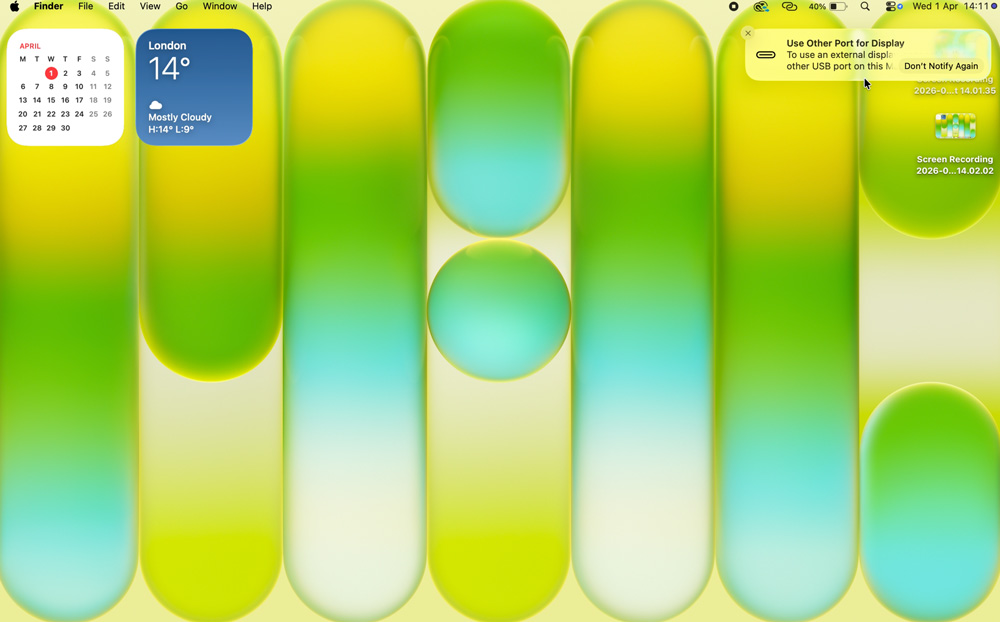
My phone will be the iPhone 17e, and I’ll use it to hotspot to the Neo. The 17e fits in perfectly with my more stripped-back, bloat-free approach to my tech in 2026.
It does what I need it to do, and it easily lasts the day.
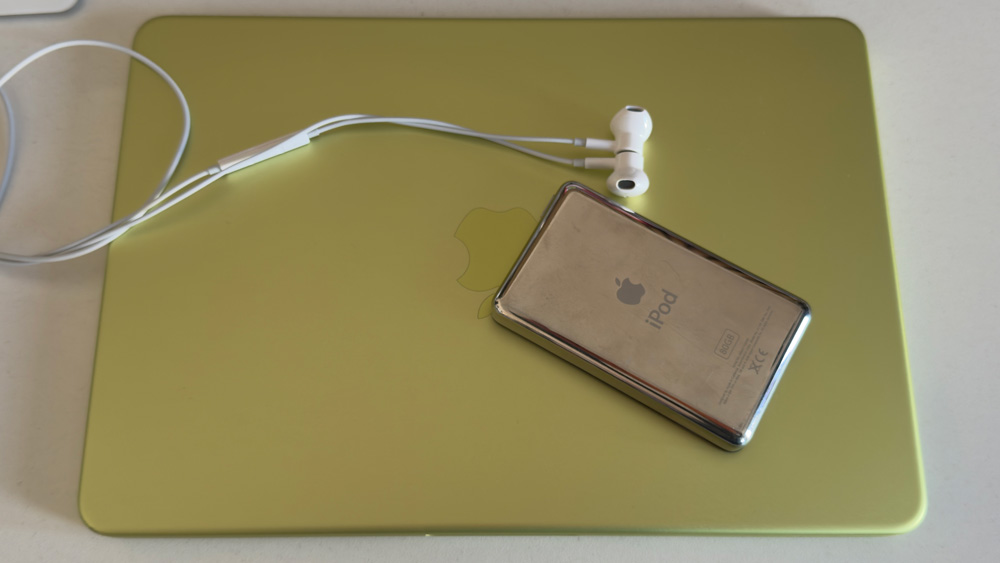
And my last bit of carry is an 80GB classic iPod. I can listen to music without interruptions and notifications. Don’t knock it until you give it a go. I’m loving it!
Finally…
I’ve not spent enough time with the MacBook Neo yet to know what I make of it.
All I can tell you is that it will do what I need a Mac to do…and then some.
The surprise for me came when I started to use it with a portable display. When you buy a Neo, you’re basically getting a two-for-one Mac. On the one hand, you get a super-fast, lightweight, portable Mac.
But then, if you know you’re going to be working at home or at the office on something more intense, or if you’re going to be away for a few days, you can unveil its hidden trick of becoming a full-blown workstation when you add another quality display to it.
Whichever way you look at it, as Mac users, we’re living our best lives right now.
The MacBook Neo is just another example of how good life is.

2 responses
That bit about using it for normal stuff like homework makes sense. I bet most people won’t be doing crazy video editing anyway. It’s cool it’s so small and light!
Exactly that – I try to keep it real!