
What You Need to Know!

The M4 Mac mini Pro has caused quite a stir – and with good reason.
It’s a brilliant Mac that’s met with universal praise and makes a strong argument for being pound-for-pound possibly the best Mac that Apple has ever made.
As good as it is though – it’s caused some confusion. Potential buyers are confused about whether the Mac mini is a good purchase if it’s going to be their only Mac.
I can understand the confusion – can something this small and this compact handle heavy workloads? People looking at the Mac mini aren’t the same as those looking at iMacs or MacBook Airs. The Mac mini tends to appeal to designers, creatives, professionals and coders.
So can the M4 Mac mini Pro cut it?
Hopefully, in this piece, I’ll attempt to de-clutter your mind and help you decide if the M4 Mac mini Pro is for you or whether you should be buying an older MacBook Pro and trying to bag that ever-elusive bargain that we all crave.
M4 Mac mini Pro – building on past glory
The success of the M4 Mac mini Pro is built on the glory of the M1 chip.
When Apple silicon was launched in November 2020 I remember writing that it was a once-in-a-generation thing with the switch from Intel to Apple silicon changing everything.
Seamless power, no fan noise and on laptops all-day battery life. But Apple has done it all over again and proven me wrong. The improvements from M1 to M4 have been massive and later I’ll tell you whether I’m still using an M1 Max or have switched to the M4 Mac mini Pro as my main machine.
But first, let’s take a look at why the choice is so confusing.
Reading through all the comments (and there have been a lot of them) both here on Medium and on the videos I’ve made about the Mac mini a recurring question keeps cropping up.

Should I buy the new M4 Mac mini or get an older MacBook Pro?
If we compare the M4 Mac mini Pro to the only other Mac currently using the M4 Pro chip – the MacBook Pro – you can buy a 14-inch model starting from £1999 with 512GB of storage & 24GB of memory. The same M4 Mac mini Pro starts at £1399. So you save £600 – a bargain! But of course, as you know, all you get is the Mac – nothing else so hold fire on the celebrations.
But what if you were to look at an older machine – say a 2022 M1 Max MacBook Pro similar to mine? It’s still a heck of a machine, so is that a viable money-saving option? You’re getting the Max chip which has to be better than the Pro chip – right? On eBay, you can pick them up for about £1500.
But how does an older Max chip compare to the newer Pro chip? It was a question I couldn’t square off when I was looking at the M4 Mac mini Pro.
Getting the choice right is not as straightforward as you might think. Can you simply compare numbers & specs and come up with the answer? I mean one is theoretically a laptop and the other a desktop but the lines soon become blurred.
This choice is tough!
I’m going to focus on the machines I have here and have used heavily and try to find out the pros, cons and strengths of both.

M1 Max MacBook Pro
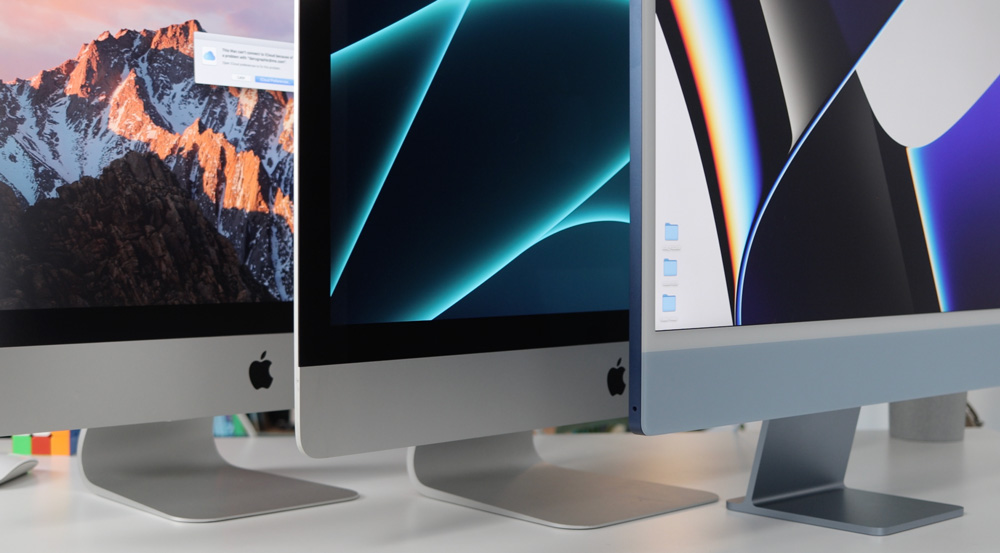
I came to my first Apple silicon Mac from a 2105 27” Intel iMac.
The improvements were staggering and as much as I was massively attached to that iMac, I knew it was time to change. I’d started my YouTube channel which meant that video editing was now part of my daily workflow.
But in other areas, it was starting to creek and show its age. Large Photoshop files were a struggle and often caused some beachballing – and exporting videos was painful! A 10-minute 4K was taking about 45 minutes to export – on Apple silicon that dropped to around 6 minutes!
Knowing what my workflow was going to be, I spec’d the new MacBook Pro carefully;
- 32GB unified memory
- M1 Max chip
- 24-core GPU and a 10-core CPU (8 performance and 2 efficiency)
- 4TB storage
- £3425
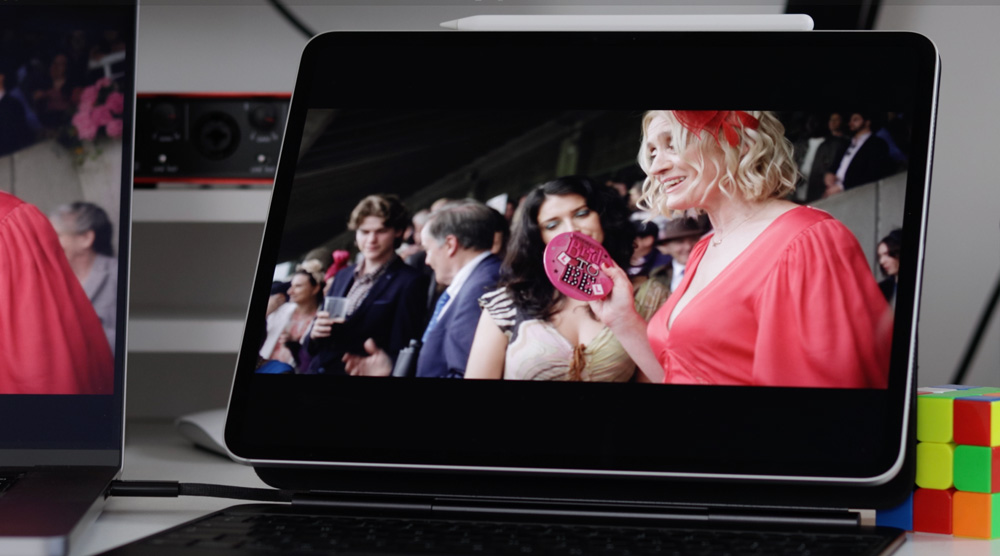
Of course, it comes with that lovely 16-inch Liquid Retina XDR display with 500 nits of Max SDR brightness – which oddly now seems dull, certainly when compared to the OLED panel on the iPad Pro.
It’s worked pretty much 6-days a week for the past two years and never complains no matter what I ask of it. It’s a beast of a Mac and even though it cost £3425 I have no regrets. It’s more than earned me that back.
But, part of the problem that Apple has made for themselves is that Apple silicon is too good. If I wasn’t a creator covering this stuff there is no way I’d be sitting here thinking that this MacBook is slow or that I needed to change it.
M4 Mac mini Pro
I buy all this gear with my own money so I spec it just as carefully as you would. When I buy this gear, it’s bought to use meaningfully and productively.
All the early indications of the 3mn M4 chip were that it was going to be pretty special. I had a feeling that I may even be able to replace the MacBook Pro with it and use it as my main machine. With that goal in mind, this is what I ended up going for;
- 48GB memory
- M4 Pro chip (with the upgraded 14-core CPU and 20-core)
- 1TB storage
- 10GB Ethernet port
- £2300
I carried out some benchmark tests for the first time to try and separate these Macs – but the results were just too close to make any real difference. An identical 12-minute video export I did on both Macs showed there to be only a 7-second difference between them (in favour of the M1 Max MacBook Pro).
So if speed and performance have proven to be so closely matched how can you split them apart – what do the choices come down to?

Making the choice
Of course, you could go the used route that I mentioned earlier but buying a used Mac is always a risk unless you can be certain of its history. What may on the face of it be that bargain, could end up being a nightmare.
But, if you try to save some money and go with the M4 Mac mini Pro then you’ll want good quality peripherals – particularly a good display especially if your workflow is colour-critical or pixel-based. Even if it’s the fact you are spending hours in front of the display each week, a quality monitor is a must.
Next, we need to look at portability. The obvious choice to make here is that the MacBook must win – but does it? The MacBook Pro is heavy and uncomfortable to carry around for long periods. And don’t forget you are moving a delicate display with you every time you pack it up in a backpack. For those reasons, I hardly ever move my MacBook Pro from the studio. It just feels too much of a risk.
I was dubious whether trading down from a Max to a Pro chip would prove a mistake. However, I was intrigued at how much things would have come on in those two years of Apple silicon development. I didn’t want to sacrifice speed or productivity for the sake of using the newer, latest chip.

Roughly speaking a well spec’d M4 Mac mini Pro is going to cost about the same as 2 year old used M1 Max MacBook Pro of similar specs. Sure, with the MacBook Pro you get the screen and keyboard thrown in, but does that make it a bargain?
Is there even such a thing as a bargain when it comes to buying a Mac?
I’d say the main reason to buy a MacBook over an M4 Mac mini Pro is its all-in-one capability which may be the clincher for you and the fact that the M1 Max MacBooks are now available for seriously good money makes it a worthy consideration.

Making the switch
This week I jumped off the fence and planted both feet firmly in the camp of the M4 Mac mini Pro. I’ve done everything on the Mac mini this past 7 days and that’s included video editing, Lightroom & Photoshop work, podcast editing and working with Indesign. And you know what? I’ve not missed the MacBook Pro at all. The shift from 32GB of memory down to 24GB hasn’t been an issue and I’ve never felt any lack of performance from using the Pro chip compared to the Max variant.
I liked it so much and am convinced that I can see myself using it full time that I bought a new Magic Keyboard, mouse and trackpad for it! Even the keyboard feels better, springier and more tactile than the old one and it’s got Fingerprint ID as well (which I find is more reliable than unlocking with my Apple Watch). It’s also USB-C which I think means I am finally done with the lightning cable.

I’m using it with my Studio Display and initially, I was worried about single display life but it has been ok – if anything it’s made me more focused and I have fewer distractions.
There is that indefinable feeling of everything being snappier. Now, that could be a case of the King’s new clothes but I don’t think it is. Apps seem to open, close and save quicker. Web pages render quicker and features like AirDrop & iPhone Mirroring work better. There is an edge to using it I can’t describe that feels better about working on the M4 Mac mini Pro.
Although the 4TB of storage I had on the MacBook Pro was overkill I was worried about only having 1TB on the Mac mini. But, my file management is pretty tidy and I use Dropbox Sync which I think is brilliant and a lifesaver. Like most of you, I rely on cloud storage for virtually everything. The only time my storage demands swell is when I am editing that week’s video.
Final Cut Pro creates some pretty chunky cache files. I always edit locally from the desktop as it’s the quickest answer safest way I have found to edit. But, the moment I’m done editing, that project is archived and deleted from the desktop.
But if storage is something that concerns you and you are looking to buy this M4 Mac mini Pro with an eye to saving money, don’t forget it comes with Thunderbolt 5 ports which have data transfer speeds of around 80 Gbps. I know there aren’t too many choices today for external Thunderbolt 5 SSDs, but they will become more commonplace over the next few months and years – and they’ll become more affordable too.
Final thoughts
Although I’m doubtful that there is any such thing as a true bargain – unless having an all-in-one Mac is important to you I’d go for the new Mac mini every time. It’s as near to a bargain as you’re ever likely to get.
Don’t let portability be the decider here either. Assuming you have a display or even a TV at your other destination then the Mac mini is just as, if not more portable than the weighty, cumbersome M1 Max MacBook Pro. It doesn’t feel as much of a risk moving it around either – oddly the Mac mini feels safer.

The improvements in M4 Apple silicon are huge and enough to convince me to say to you that if you are weighing up the options between an older MacBook Pro or a new M4 Mac mini Pro – go with with the newer option. There is a good chance you’ll have decent peripherals that you can use which means you’re getting the best of both worlds.
And to think we still have the M4 Ultra to come next year is frightening. I reckon my demands on my Mac are fairly high, but this M4 Mac mini Pro simply gobbles up whatever I throw at it and has been good enough for me to put to one side my MacBook Pro. I can give it no higher praise than that!
Apple silicon just keeps raising the bar of what we can come to expect from our Macs.
What great times we are having!

2 responses
I bought a Mac Mini base model and here were my thoughts:
The Good:
~Three Thunderbolt 4 ports are amazing for content creators.
~Power Efficiency is very high.
~Driver recognition is instant on a lot of devices
~Quiet Operation
The Bad
~I had to buy a USB-C Hub along with USB adapters to connect my mice and keyboards along with devices to overcome the weaknesses of the base model.
The Ugly
~Apple Silicon is unable to Hardware Encode AV1.
~iOS and Mac OS gaming are incompatible even under the same silicon.
~CrossOver and Parallels are both jokes when it comes to Windows Gaming under a MAC.
The reason to avoid buying anything beyond the base model of the Mac Mini is the lack of hardware AV1 encode. Software AV1 encode exists through some programs but no way to directly edit and encode into AV1 using Davinci Resolve. You are forced to encode and then convert using other programs which is asinine.
Meanwhile, the entire line of Intel Arc series GPUs natively supports 8-bit 4:2:0 and 10-bit 4:2:0 AV1 encode. These GPUs are between $70 and $300. A 12600K + A770 + 32GB of RAM along with a capture card is strong enough to capture 4K@60 FPS gaming footage and through Davinci Resolve Edit at 4K@60 without dropping any frames.
Credit where its due. Mac Mini can perform encoding jobs at 4K. However, I follow a rule that I will not accept a system to be a great encoder unless it can encode 1:1 time. Meaning, the system must be able to encode a 5-minute video in 5-minutes or less. Mac Mini base model fails at this at 4K but does well at 1080P.
Once Apple Silicon CPU/GPU supports AV1 encoding, I will change my opinion.
Until then, Apple is #1 at being #2 in its strongest selling point.
You make some really interesting points! I hope you are enjoying your Mac mini.